Fix-verification sandbox
EXPERIMENTAL. Fix generation and verification are separate opt-ins. Local and Daytona backends do not establish cross-host render equivalence.
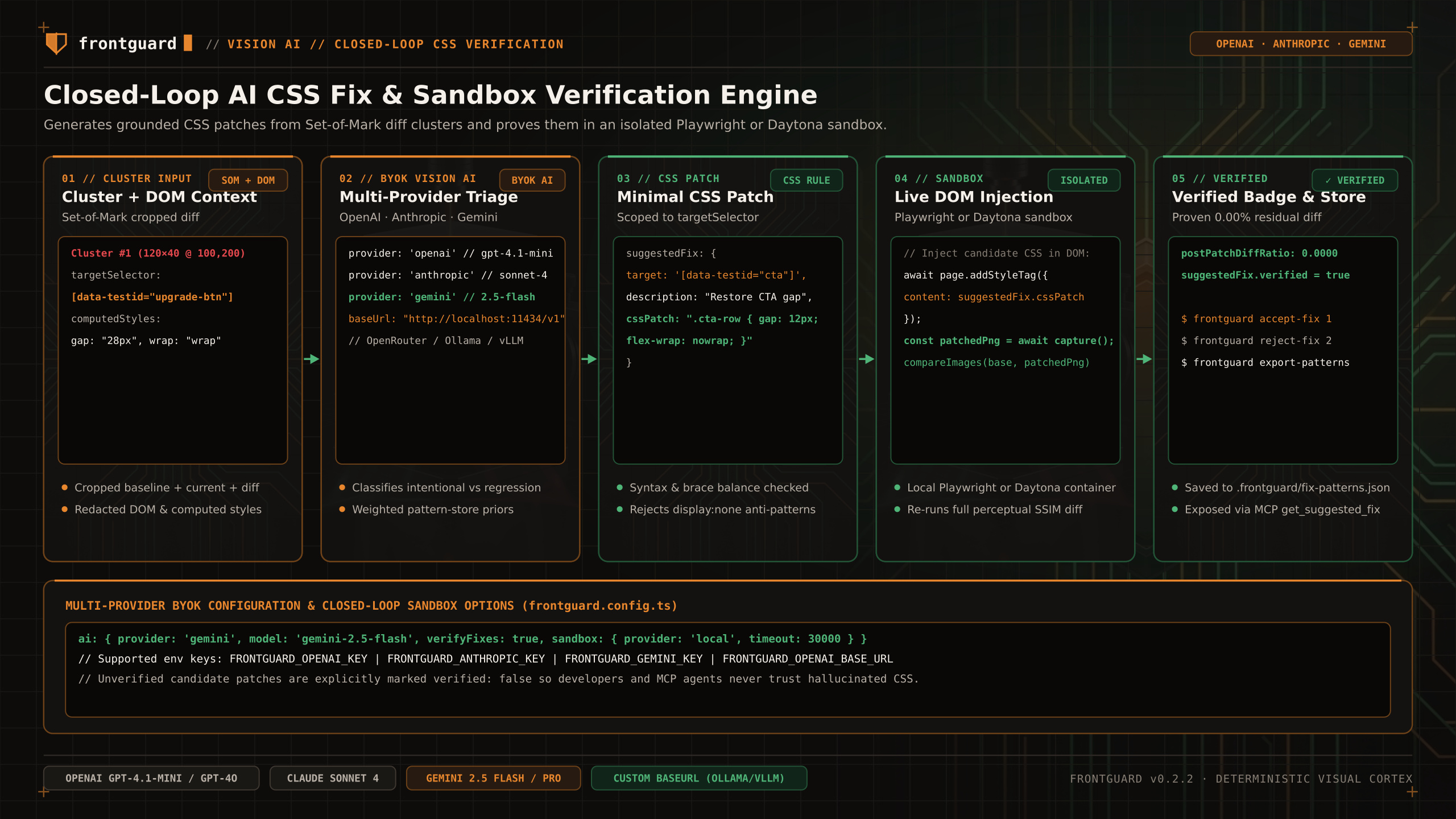
When generateFixes and verifyFixes are enabled at the config top level and ai is configured, Frontguard tests candidate CSS patches in an isolated browser render before reporting them as Verified or Unverified.
Experimental status
Verification applies a candidate patch, re-renders, and compares that result against the baseline. Verified and Unverified are observations from that run, not correctness guarantees.
How CSS patch verification works
STEP 01Syntax & Safety Guard
Frontguard validates that the candidate CSS rule has balanced braces, a valid selector, and does not contain destructive hiding rules (such as display: none, visibility: hidden, or opacity: 0).
STEP 02Isolated Style Injection
The sandbox opens the target route at the regressed viewport, injects the candidate CSS rule via page.addStyleTag({ content: patch }), and waits for layout stability.
STEP 03Baseline Re-Comparison
The re-rendered PNG is compared against the original accepted baseline PNG. If the diff ratio drops within threshold without introducing new diff clusters, the suggestion is marked Verified.
Backends
| Sandbox Backend | Configuration | Description |
|---|---|---|
Local Playwright (Default) | verifyFixes: true | Re-renders the page in an isolated Playwright BrowserContext on the current machine. |
Daytona Container Sandbox | fixSandbox: 'daytona' | Executes isolated verification inside an ephemeral Daytona workspace when configured. |
Failure semantics
If sandbox verification fails or times out, Frontguard preserves the original visual regression failure and labels the candidate fix as Unverified so your CI gate remains strict.