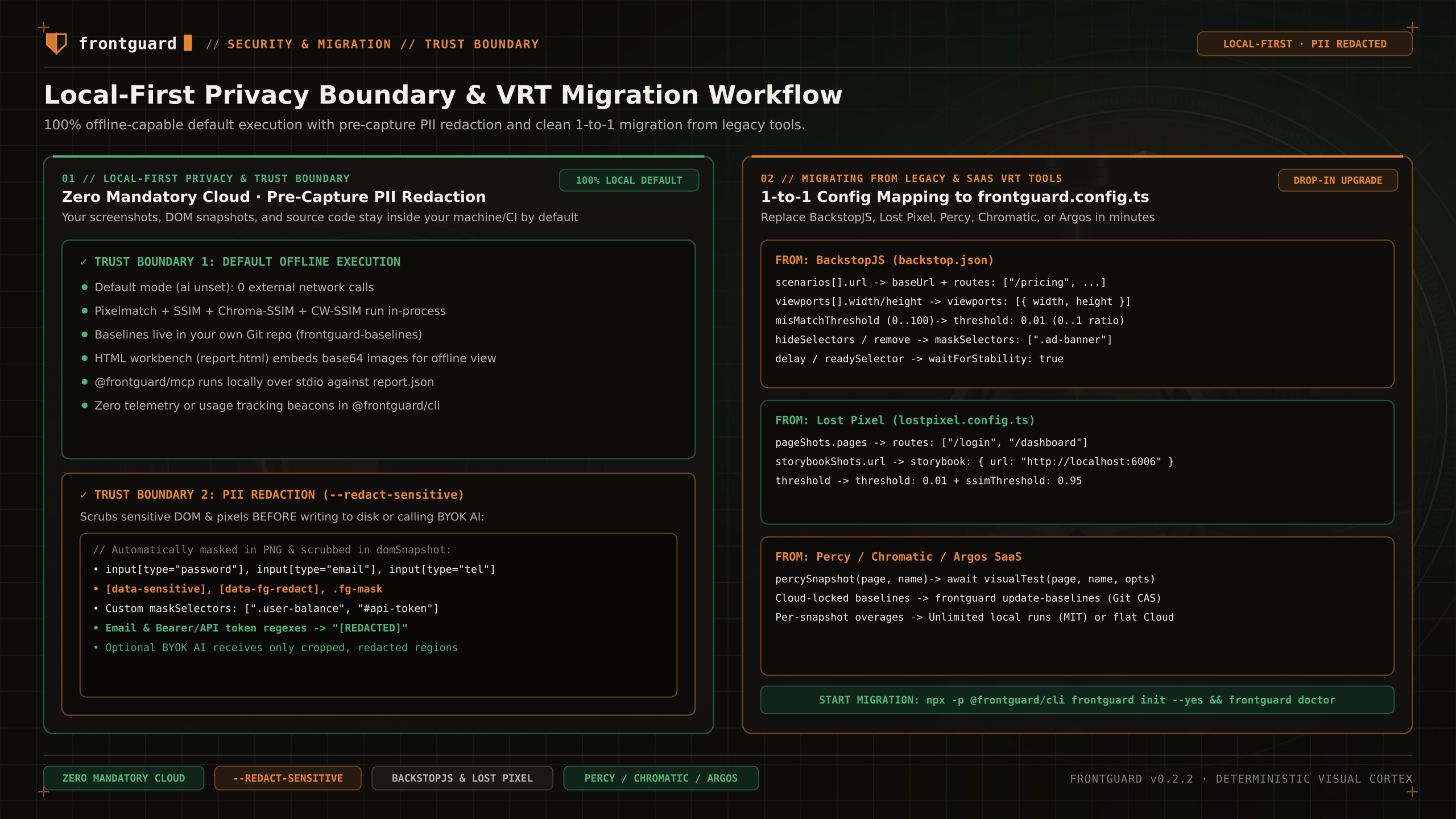
Your project stays local by default.
Frontguard's open-source CLI performs screenshot capture and pixel comparison on the machine where you run it.
Optional providers
Model-assisted analysis is opt-in. When configured, screenshot evidence and route metadata are sent directly to the OpenAI or Anthropic account selected in your configuration.
Enable redactSensitive: true in frontguard.config.ts (or pass --redact-sensitive on the CLI) to mask password, email, payment, and token inputs and scrub domSnapshot text/attribute values locally before screenshots are captured or uploaded to an AI provider.
Telemetry
CLI usage telemetry is disabled by default (telemetry: false). If you explicitly opt in (via FRONTGUARD_TELEMETRY=1 or telemetry: true in frontguard.config.ts), Frontguard sends at most one bounded, anonymous event per command containing only sanitized operational fields: event, command, version, os, nodeVersion, ci, durationMs, routes (routeCount), regressions (diffCount), passed, aiProvider (aiEnabled), antiFlake, errorType, and ts (timestamp). It never includes screenshots, source code, URLs, file paths, repository names, config contents, or provider API keys.
You can disable or override telemetry at any time via --no-telemetry, FRONTGUARD_TELEMETRY=0, DO_NOT_TRACK=1, telemetry: false in frontguard.config.ts, or frontguard telemetry disable.
Hosted services
There is no generally available hosted Frontguard cloud endpoint today. Ordinary infrastructure logs may be produced by the service that hosts this informational website.
Questions
Open a privacy question in the public issue tracker.