Custom Plugins
Extend the CLI pipeline by selecting authentication storage state before rendering, transforming captured results, or sending a report after a run.
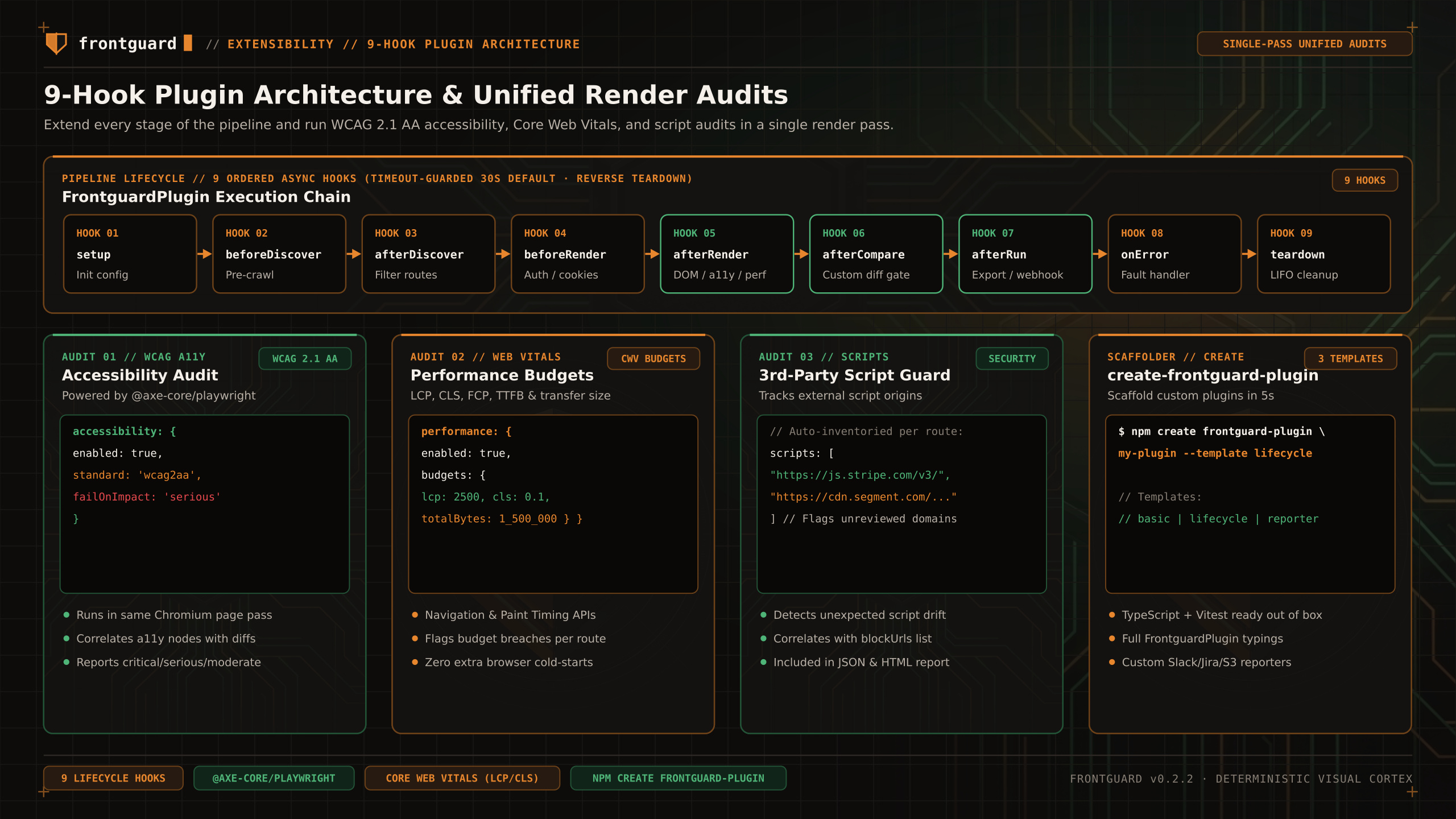
Interface
Plugins are objects implementing FrontguardPlugin. Import that type from @frontguard/cli/plugins to check hook arguments and return values against your installed version.
Lifecycle
Hooks run in registration order; teardown runs in reverse order. Hooks receive configuration or captured results, not a live Playwright Page.
| Hook Order | Hook Name | When It Fires & Practical Use |
|---|---|---|
01 | setup(ctx) | Validate options and initialize state before discovery. |
02 | beforeDiscover(config) | Return the config to use for discovery. |
03 | afterDiscover(routes, config) | Return the routes to render after filtering or adding entries. |
04 | beforeRender({ routes, config }) | Return { routes, config } to change capture configuration. |
05 | afterRender(screenshots, ctx) | Receives ScreenshotResult[]. Return a replacement array or void. |
06 | afterCompare(diffs, ctx) | Receives DiffResult[]. Return a replacement array or void. |
07 | afterRun(result, ctx) | Receives RunResult, including result.summary, before reporting. |
08 | onError(error, stage) | Handle a pipeline error; return true to suppress it. |
09 | teardown() | Release resources at the end of the run. |
Practical plugin examples
Example 1: Selecting authentication storage state
Create a Playwright storage-state file using your application login flow first. It can contain cookies and localStorage. Return its path in the capture config:
Example 2: Posting a JSON webhook summary
Compatibility
Pin the CLI version and test your plugin against it. Destructuring afterRun({ summary }) is also valid because summary is a RunResult property. Each hook has a configurable timeout (30 seconds by default).